Test connection and update DocuSign template list
DocuSign templates are stored on, and load from the DocuSign system; they are not created in Sage People. Updating the list enables you to test the connection between Sage People and DocuSign.
-
In the App Launcher select DocuSign Templates.
-
On the DocuSign Templates Home page select a list view
-
Select Update Template List:
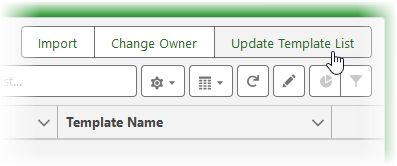
Update Template List extracts all active DocuSign templates you have defined on your DocuSign account and makes them available in Sage People. Update Template List overwrites the existing list, ensuring the latest versions of active templates are available.
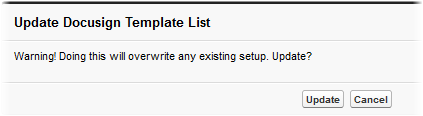
Sage People displays a warning message:
 Note
NoteIf Sage People displays an error message:
Error: no protocol: nulllogin_information?api_password=false&include_account_id_guid=true&login_settings=none
check the DocuSign API Endpoint value entered on the DocuSign configuration page. This field must contain the full DocuSign API Endpoint url as supplied by DocuSign, for example:
https://eu.docusign.net/restapi/v2/login_information/
-
Select Update.
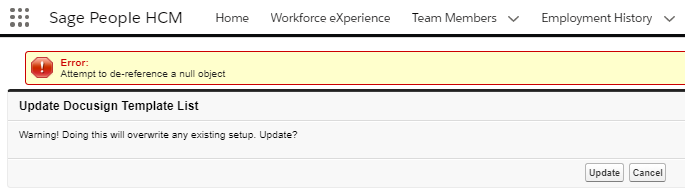
If all credentials are correct and connection is successful but there are no templates to update, Sage People displays an error message:
If there are templates to update Sage People populates the Template List:

At this stage, each new template is marked as Inactive, with Send from... and Return to... objects not defined.