View completed forms in employee self-service
Employees can now view forms they've submitted directly within the Sage People employee self-service.
This enhancement improves visibility of form activity by letting users access forms they submitted previously without administrator assistance. Submitted forms remain available for review, helping employees track requests and reference information they've already provided. The system will show up to a maximum of 90 forms in WX and there's no time limit. The most recent forms displays first.
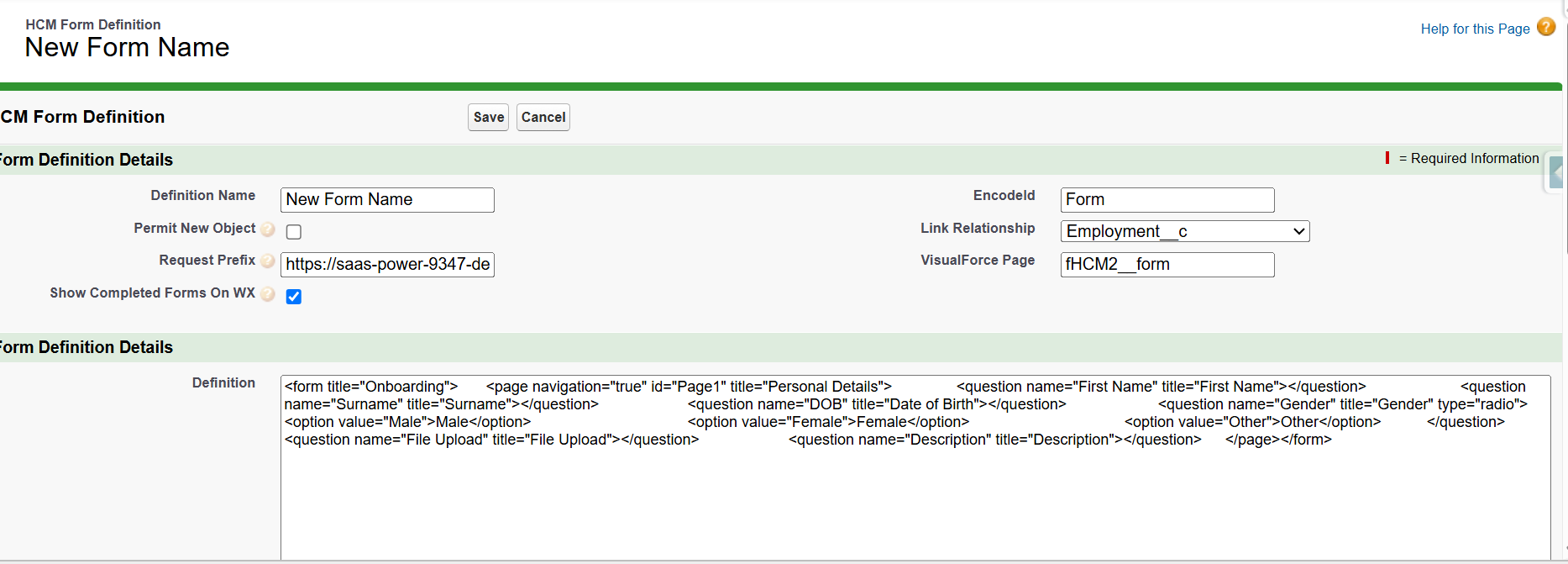
Administrators can control if a completed form displays by enabling the new Show completed forms setting on the form definition.
-
Go to HCM Form Definitions.
-
Open the form definition record you want to show on WX.
-
Click XML Edit.
-
Check the Show Completed Forms On WX box.
-
Click Save.
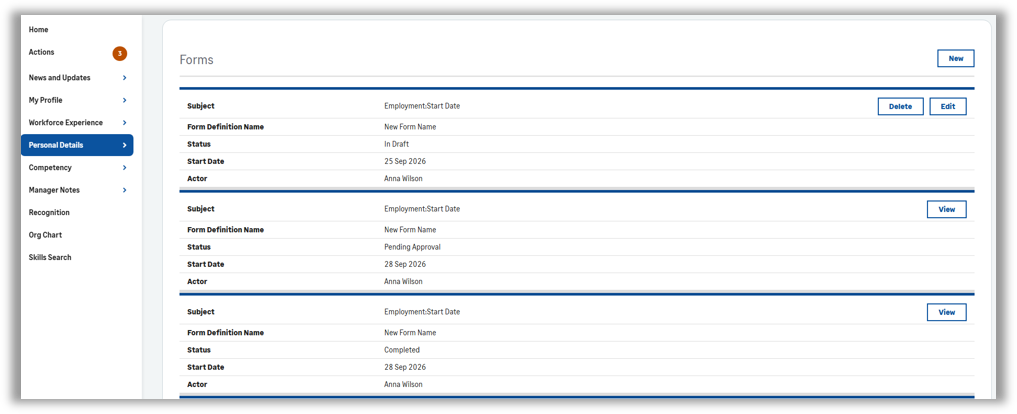
If they later disable this setting, the completed forms are no longer visible in self-service. The forms present in the following order, with the most recently completed forms appearing first:
-
Draft forms
-
Forms awaiting approval
-
Completed forms
Completed status
For now, forms that have completed an approval process and rejected forms both display as Completed. The interface doesn't currently distinguish between approved and rejected forms. We've captured this feedback and will consider it for a future improvement.
Form visibility
Completed forms currently focus on the form initiator experience. We haven't included broader visibility scenarios, like sharing forms between managers and team member’s, in this release.
Looking ahead
We've received valuable customer feedback during development and review sessions, Areas we're considering for future enhancements include:
-
Clear distinction between approved and rejected forms
-
Enhanced manager and team member sharing scenarios