Redesigned Org Chart enhancements
Discover the new capabilities and features within the redesigned Sage People Org Chart. All previous updates and the new release features are now generally available.
Building on the redesigned Org Chart experience we introduced in the Y26.1.1 release, we're delivering further improvements. These focus on accessibility, navigation, employee insights, and expanded export capabilities. These enhancements make it easier to explore organizational structures, understand reporting relationships, and share organizational data with stakeholders.
We've reviewed Idea I-816, requesting that the system removes team members from the Org Chart bast on Last Working Day rather than their Employment End Date. While the Last Working Day field doesn't automatically drive this action, you can achieve a similar outcome using the existing Org Chart configuration.
If a team member's Last Working Day is earlier than their Employment End Date, for example during garden leave, admins can:
-
Update the team member's Employment Status to an appropriate status. For example, Garden Leave or another organization-defines Status.
-
Go to the HCM Configure page.
-
Add that Employment Status to the Hidden Employment Status configuration.
-
Click Save.
Once you've configured this, the system will no longer display team members with that Employment status in the Org Chart.
Export Org Charts as a PDF
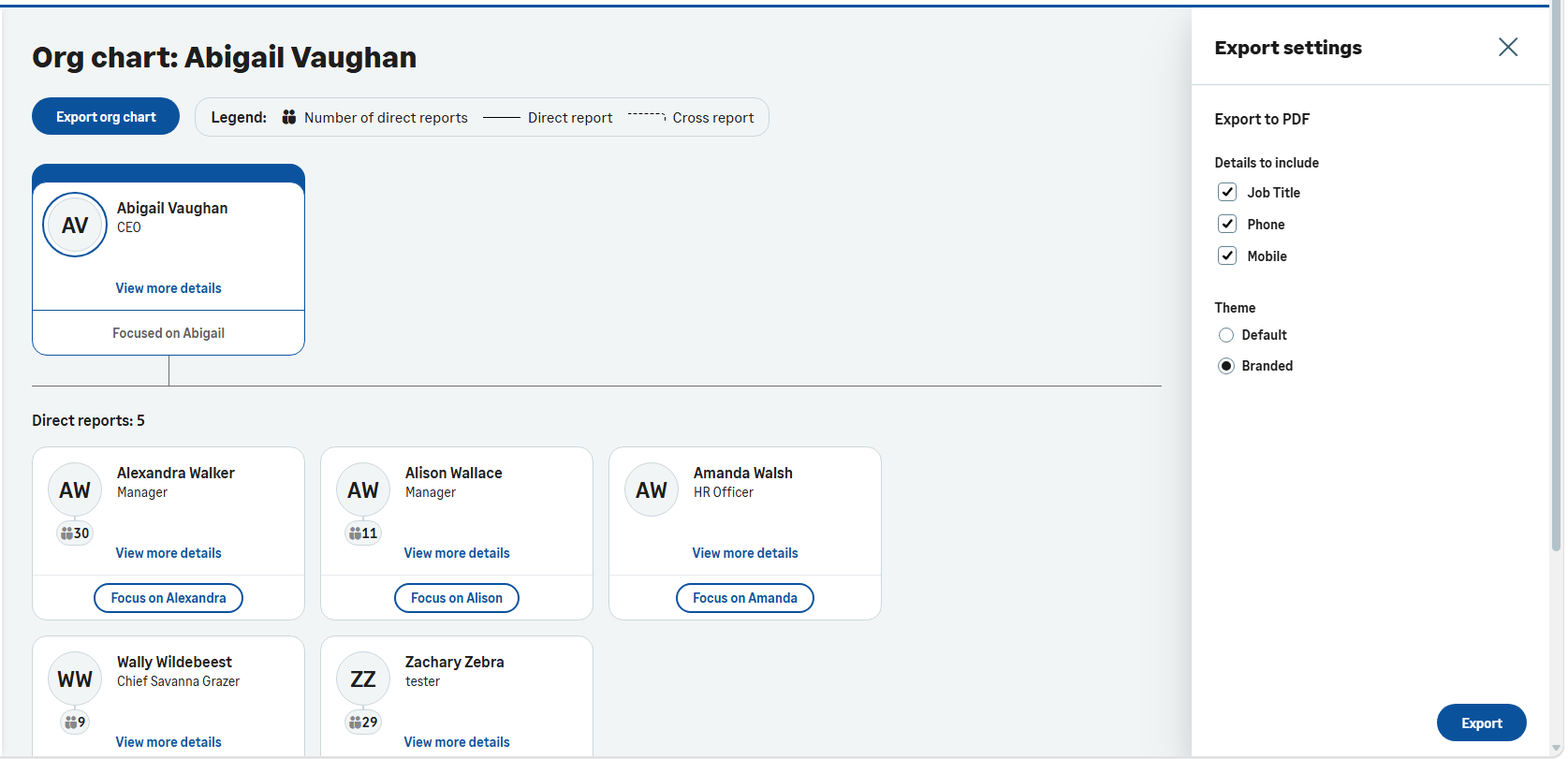
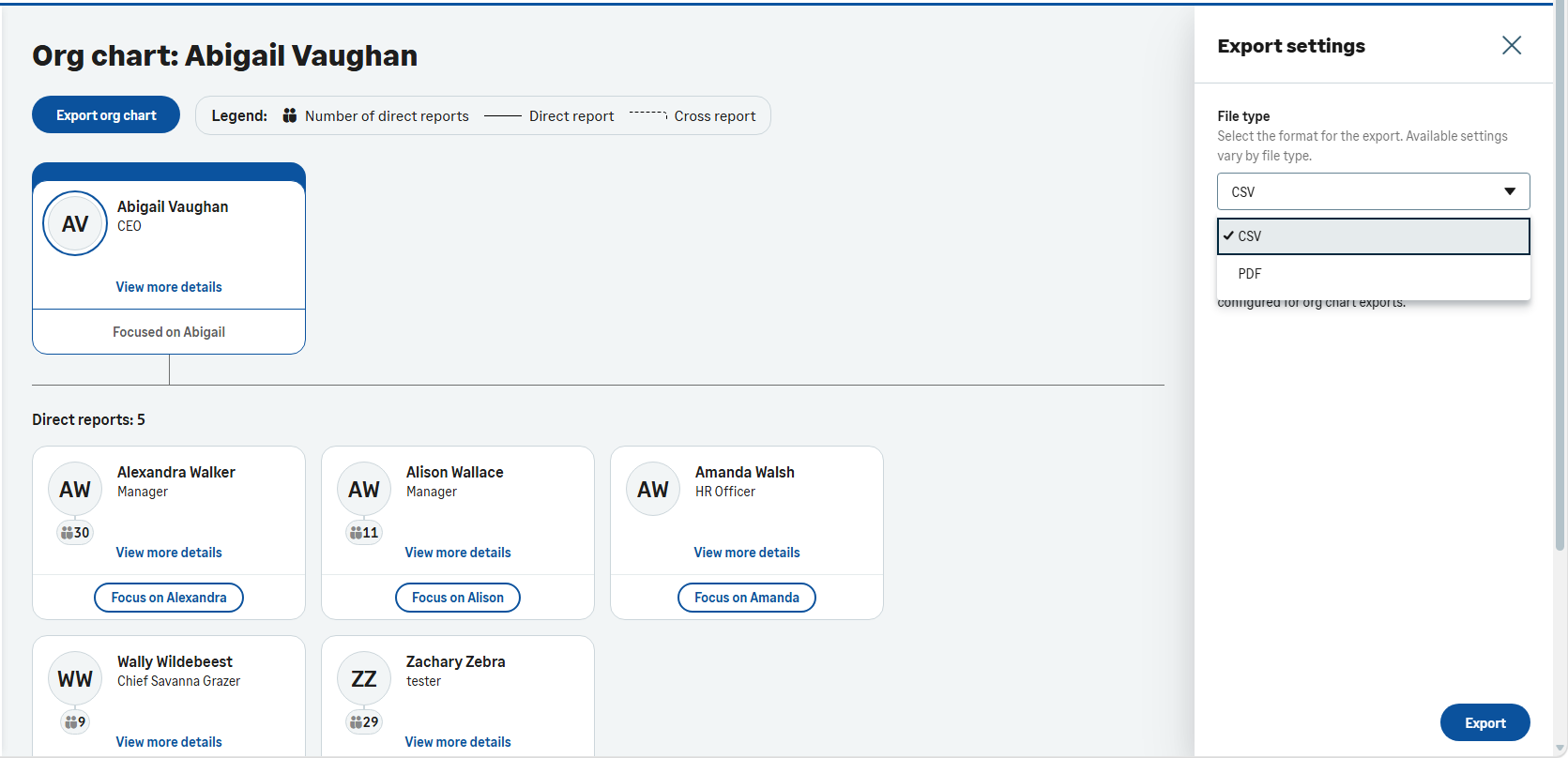
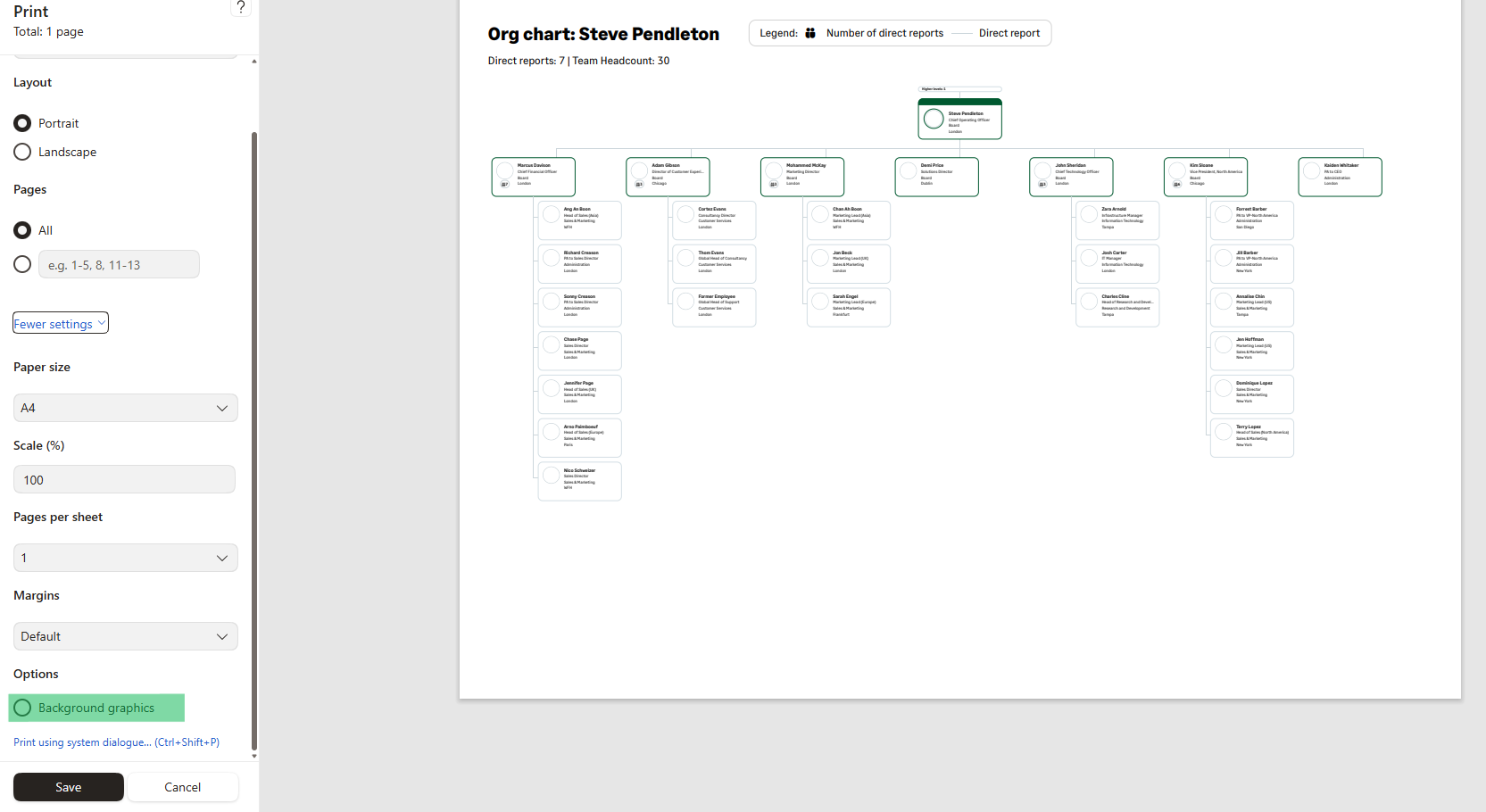
Users can now generate a PDF version of an Org Chart. This makes it easier to share organizational structures with Stakeholders, auditors, new starters, managers, and other audiences. The enhanced export experience lets you choose between CSV and PDF export formats directly from Workforce eXperience (WX).
Configurable PDF content
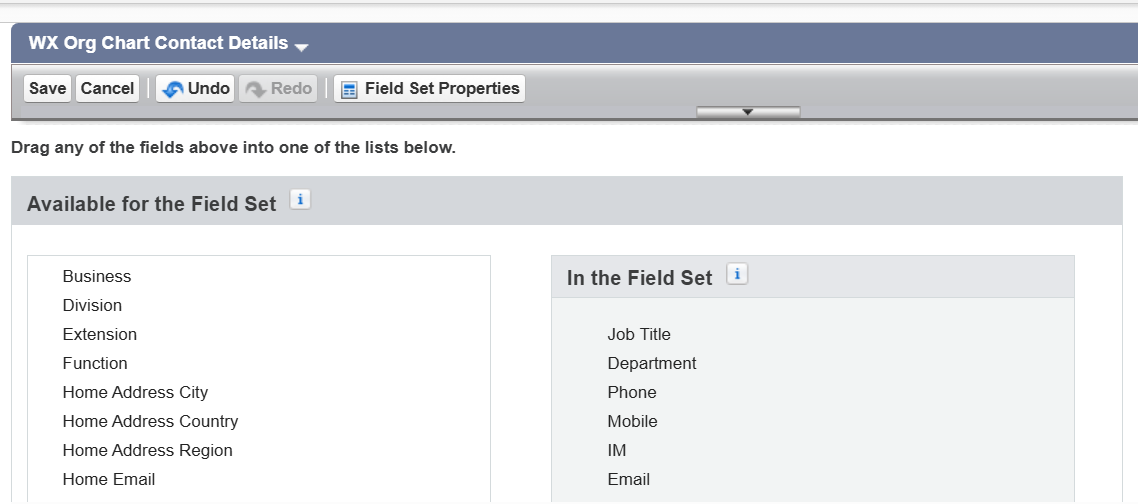
The top three fields you configure in the Org Chart Contact Details field set drive the information on the Org Chart cards in the PDF. The system displays this information on the Org Chart cards in the PDF. This mirrors the information on display within the Org Chart user interface. It gives administrators control over which employee details they want to include in exported PDFs. All while maintaining a clean and readable format.
Better organizational context
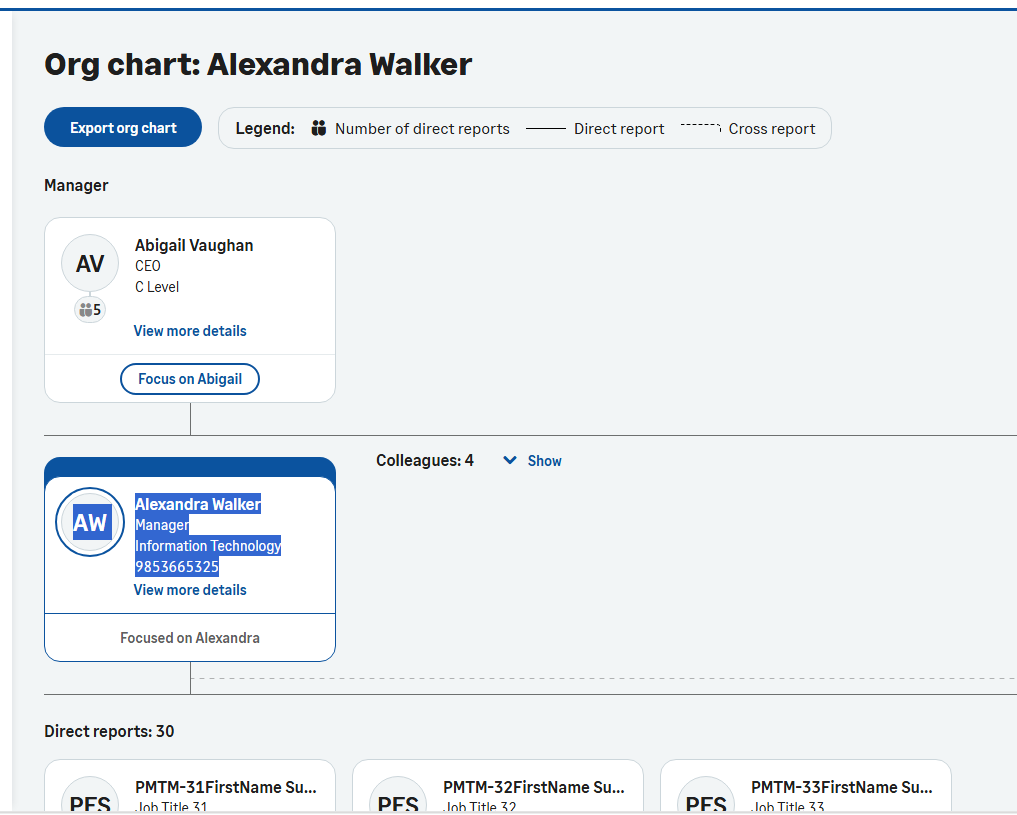
To help users understand where an employee sits within the organization, the PDF export includes:
-
The selected user
-
Direct reporting hierarchy up to two organizational levels
-
A higher-level manager card. This provides extra organizational context and shows where the selected employee sits within the broader structure
All these points make the PDF invaluable for onboarding, leadership reviews, workforce planning, and stakeholder presentations.
Profile pictures and employee identification
Where available, the system includes employee profile pictures on exported Org Chart cards.
If a profile picture isn't available, the system displays the employee's initials instead. This ensures users can still clearly identify every employee within the exported structure.
Direct report counts
Each exported card includes a direct reports counter. This gives immediate visibility of the size of an employee's reporting structure.
For PDF reports:
-
Direct report counts display the employee's total number of direct reports
-
If an employee has more than 20 direct reports, the count continues to show the full number. The system only displays the first 20 report cards in the PDF
Optimized for readability and accessibility
PDF exports currently support displaying up to 20 direct report cards per manager. This ensures the PDFs remain readable, accessible, and suitable for sharing.
When an employee has more than 20 direct reports:
-
The PDF displays the first 20 direct reports
-
The PDF still shows the total direct report count
-
The organizational structure remains visible and understandable, without creating excessively large PDF documents
For larger organizations or detailed analysis, we recommend using the CSV export option. CSV exports don't have display-size limitations and can accommodate larger data sets.
Theme selection
Users can choose the visual style of their exported Org Chart. There are two available themes:
-
Default theme - exports the Org chart using a neutral black-themed card design
-
Branded theme - applies the organization's configures branding and color theme to the Org Chart export
This lets you tailor exports for either internal analysis or customer-facing and executive presentations.
Enhanced organizational summary information
PDF exports include additional organizational summary information to provide a more complete view of the reporting structure:
-
Direct report counts reflect the employee's total number of direct reports
-
Headcount calculations include the selected employee together with first and second-level reporting structures. This helps users understand the overall size of the team hierarchy in the export
CSV export for organization hierarchies
You can now export your entire organizational hierarchy to a CSV file. This makes it easier to perform further analysis, reporting, and workforce planning activities. The CSV export supports up to 15,000 team member records in a single download.
-
Go to the highest-level manager in your organization.
-
Select Export Org Chart.
-
If CSV export is enabled, a CSV Export option will appear in the sidebar.
-
Select Export to download a CSV file containing your organization's hierarchy.
CSV supports a complete, structured view of the hierarchy, while PDF provides a clear, shareable visual representation.
To configure who can export Org Chart data to CSV:
-
Go to Policy Settings.
-
Under the Org Chart section and locate the CSV Export Access setting.
-
Select the appropriate access level:
-
None (Default) – disables CSV export for users within the policy
-
Manager – allows managers and any higher-level roles to export Org Chart data for team members associated with the policy
-
HR – allows HR managers and any higher-level roles to export Org Chart data
-
Team Members – grants CSV export access to all users covered by the policy
Tip The role you select also grants access to any roles above it in the hierarchy. -